Create your first pack
Last updated April 23, 2026
A pack is a record of one specific setup — a weekend in the mountains, a winter overnight, a thru-hike. You can have as many packs as you want.
Create a pack
- Go to Packs.
- Click New pack.
- Give it a name (e.g. "Sarek 2026").
- Optionally set:
- Season — summer, winter, shoulder, etc.
- Conditions — alpine, dry desert, wet temperate, etc.
- Field notes — anything you want to remember about this trip.
- Click Save.
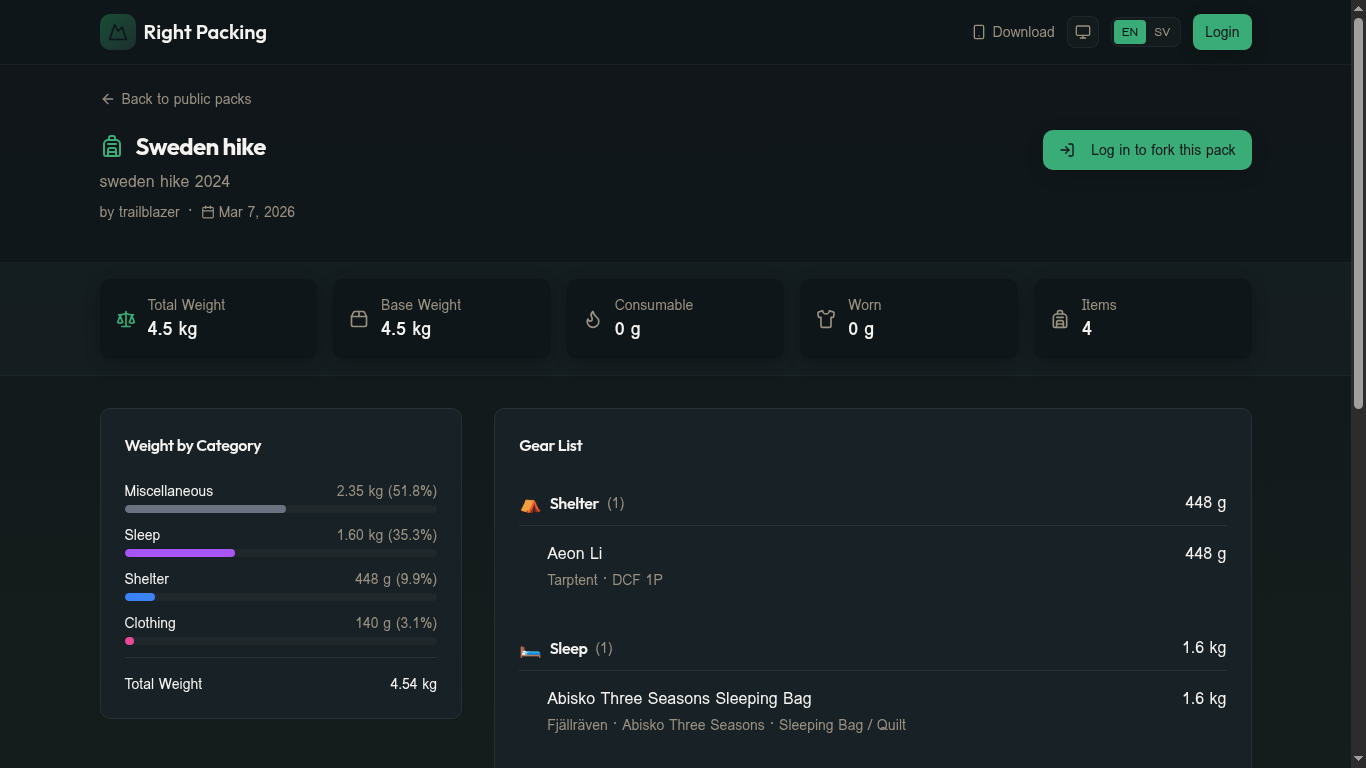
Here's an example of a finished pack — header with name and metadata, weight summary cards, category breakdown on the left, and the gear list on the right:
Add gear
Open the pack and click Add gear. Pick from your inventory or browse the catalogue — items added from the catalogue are also copied into your inventory.
Two faster ways to start
- Duplicate an existing pack of yours — change just the gear that differs.
- Fork a public pack — start from a setup you admire.
Related
Still need help? Contact us